Excel template
$14
Buy and downloadInstant download. Opens in Excel, Google Sheets and Numbers.
Secure checkout by Gumroad. Not what you expected? See the refund policy.
Details
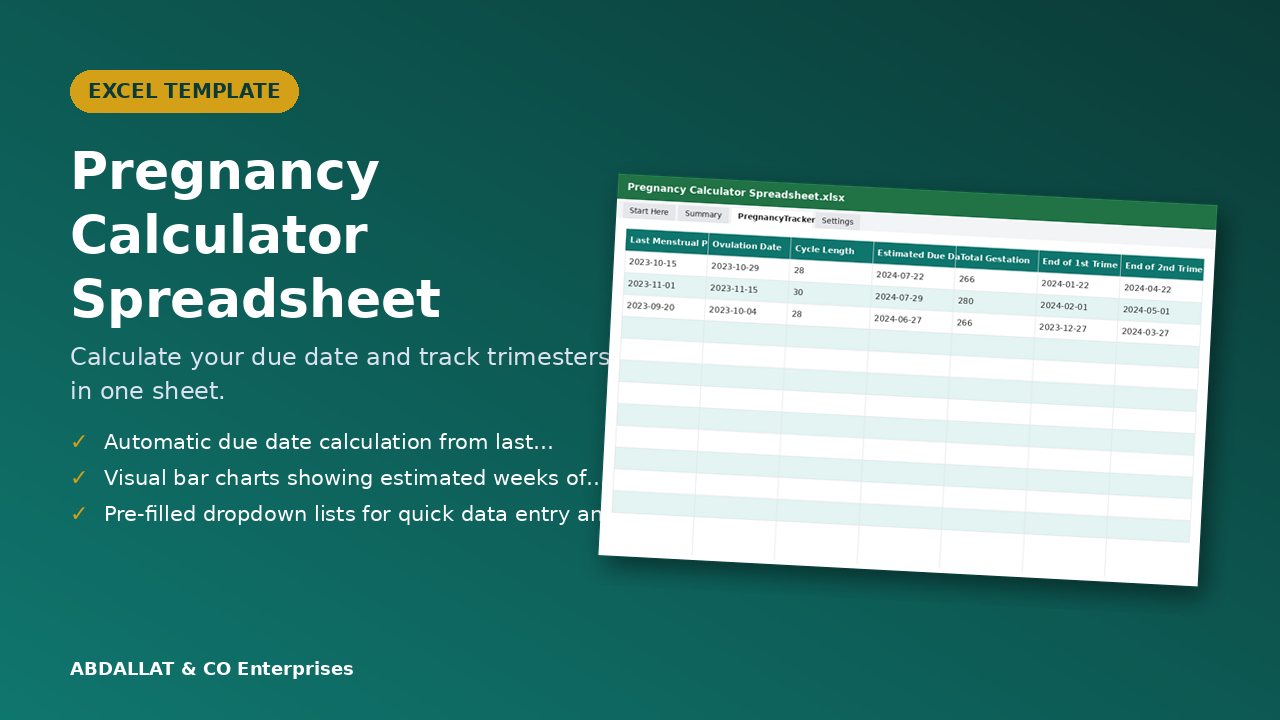
Calculate your due date and track trimesters in one sheet.
What you get
- Start Here sheet with instructions
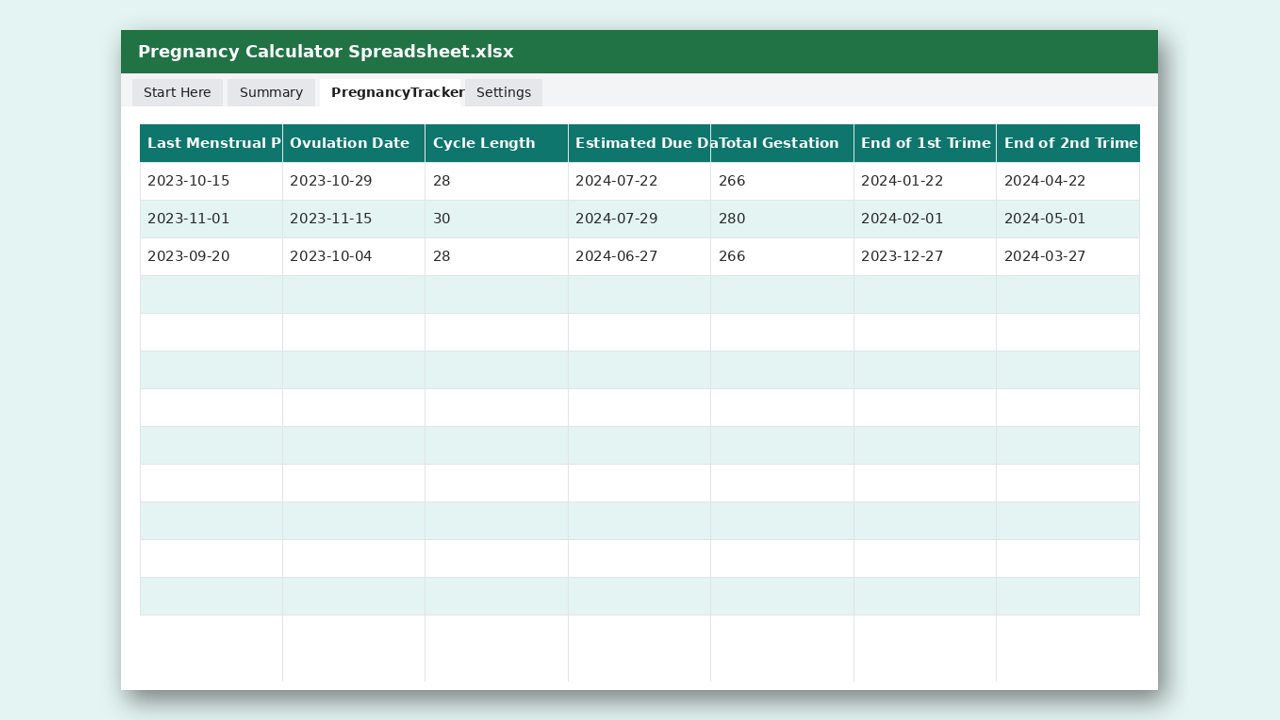
- Main calculation table with input cells
- Automatic formulas for due date and trimester estimates
- Settings sheet for custom date adjustments
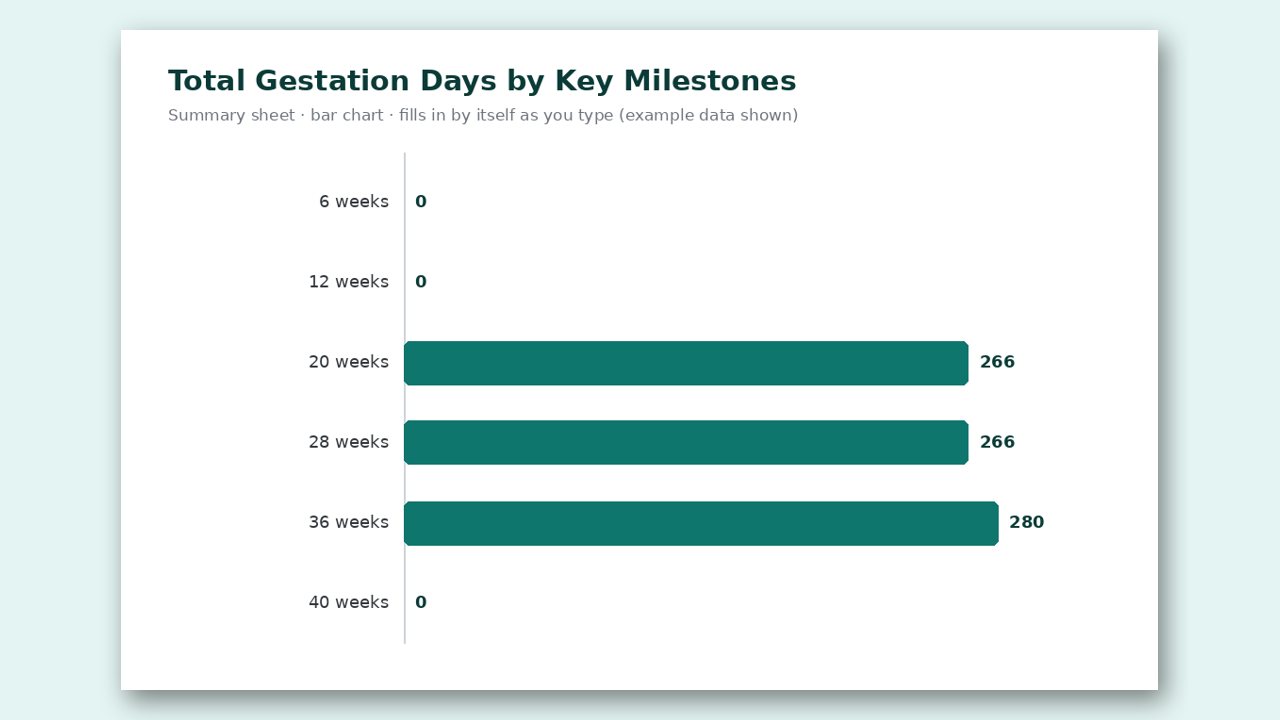
- Summary sheet with totals and simple bar charts
- Bar chart: Total Gestation Days by Key Milestones (updates as you type)
Why you will like it
- Automatic due date calculation from last menstrual period or ovulation date
- Visual bar charts showing estimated weeks of each trimester
- Pre-filled dropdown lists for quick data entry and easy tracking
- Summary sheet with total gestation days and key milestone dates
Made for
people searching for pregnancy calculator
How it works
- Enter your last menstrual period or ovulation date in the designated cell.
- The spreadsheet will automatically calculate your estimated due date.
- Use the dropdown lists to select trimesters for easy tracking.
- View the Summary sheet to see your total gestation days and milestones.
Format: Excel file (.xlsx). Works in Microsoft Excel, Google Sheets and LibreOffice. Instant download after purchase.
Designed by ABDALLAT & CO Enterprises with AI-assisted tools and checked before release. Questions or problems? Email [email protected].
A look inside